

Why Costco Car Rental is Your Smart Travel Choice
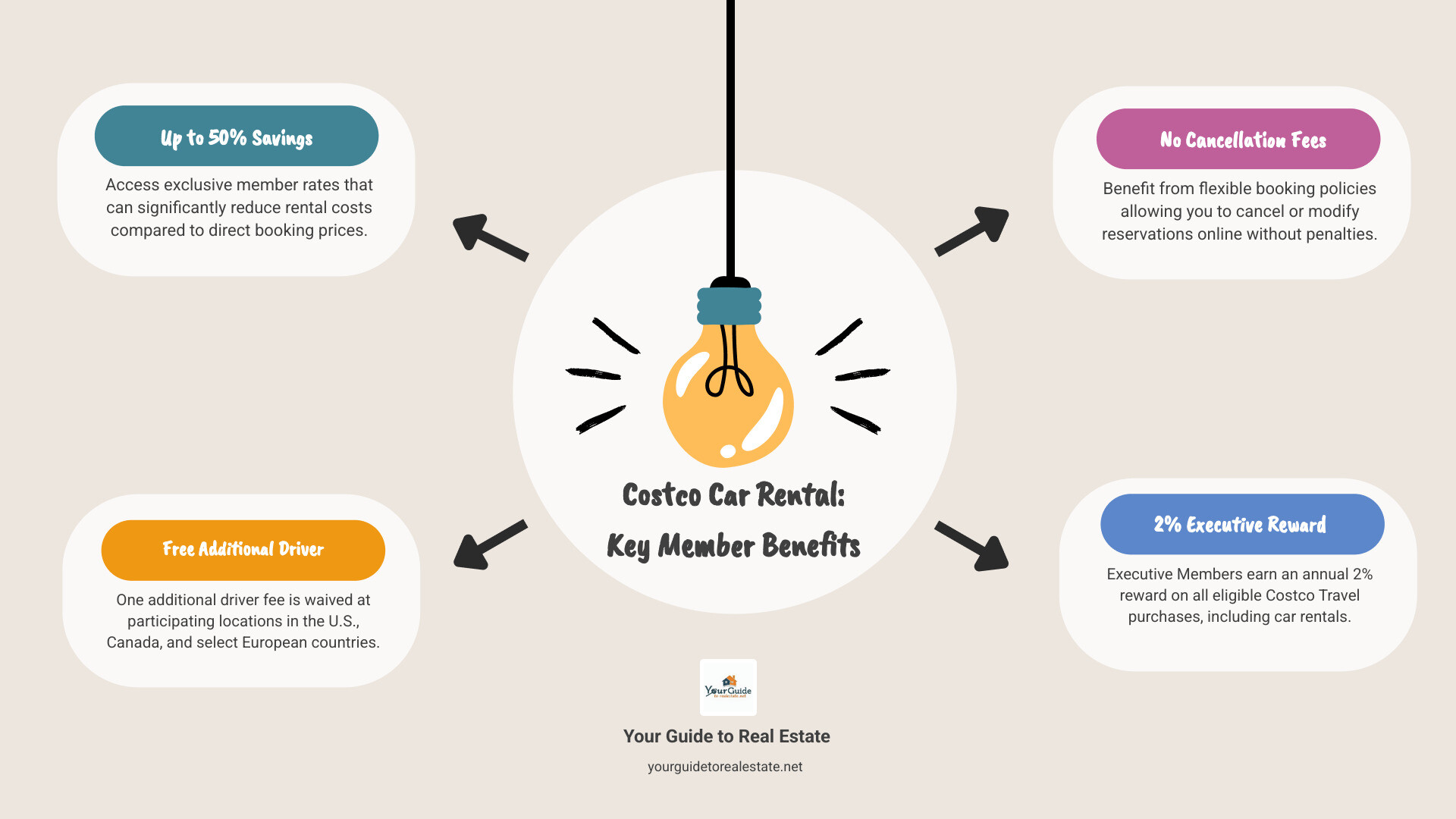
Costco car rental offers members exclusive rates and perks that can save you up to 50% compared to booking directly with rental companies. Here’s what you need to know:
Key Benefits:
- Up to 50% savings on rental cars through exclusive member rates
- Free additional driver (normally $10-15/day) in US, Canada, and select European countries
- No cancellation fees for online bookings
- 2% reward for Executive Members on all rentals
- Partners include Alamo, Avis, Budget, and Enterprise
How to Book:
- Visit CostcoTravel.com and select “Rental Cars”
- Enter pickup/dropoff details and confirm you’re 25+ years old
- Compare rates and select your vehicle
- Complete booking with your Costco membership number
The savings are real and substantial. For example, a two-week intermediate car rental through Costco Travel/Avis costs $549 versus $1,098 when booking directly – that’s a 50% savings of $549.
Note: Costco Travel is only available to US-residing Costco members, with rentals available in the US, Canada, and select European countries.
Whether you’re planning a vacation or need a car for business travel, this member benefit can significantly reduce your transportation costs while providing valuable perks that improve your rental experience.
Why Choose Costco Car Rental? Unpacking the Exclusive Member Benefits
As Costco members, we already know the satisfaction of getting great value on everything from groceries to gas. But did you know your membership can also open up impressive savings on car rentals? The Costco car rental program isn’t just another booking option – it’s a carefully crafted benefit that turns your membership into serious travel savings.
When you’re planning your next trip, whether it’s a weekend getaway or an extended vacation, the difference between booking through Costco Travel versus going directly to rental companies can be substantial. We’re talking about real money back in your pocket, plus perks that make your travel experience smoother and more enjoyable.
Deep Discounts and Transparent Pricing
The heart of the Costco car rental program lies in its ability to deliver genuine savings through exclusive member rates. Costco uses its massive buying power – representing millions of members – to negotiate deals that simply aren’t available to individual travelers booking on their own.
The Low Price Finder™ system works behind the scenes to ensure you’re seeing the best available rates. This isn’t marketing fluff – our research shows consistent savings that can reach up to 50% compared to direct booking. These aren’t occasional flash sales or limited-time offers, but everyday member pricing that you can count on.
| Car Class | Costco Travel Price (2-Week Rental) | Direct Booking Price (2-Week Rental) | Savings (%) |
|---|---|---|---|
| Economy Car (Avis) | $579 | $1,000 | 42% |
| Compact Car (Avis) | $542 | $1,084 | 50% |
| Intermediate Car (Avis) | $549 | $1,098 | 50% |
| Full-Size Car (Avis) | $556 | $1,126 | 50% |
| Intermediate SUV (Budget) | $656 | $1,096 | 40% |
| Premium Car (Enterprise) | $1,114 | $1,444 | 23% |
What makes these savings even better is the price transparency you get with Costco Travel. The rate you see includes all the taxes and fees upfront – no hidden charges waiting to surprise you at the rental counter. This straightforward approach means you can budget confidently, knowing exactly what you’ll pay from the moment you book.
Valuable Perks Included for Free
The discounted rates are just the beginning. The Costco car rental program includes several valuable perks that would normally cost extra, making your membership even more worthwhile.

The free additional driver benefit is particularly valuable for couples or families traveling together. Most rental companies charge $10 to $15 per day for each additional driver, which can easily add $100 or more to a week-long rental. Through Costco Travel, this fee is completely waived in the U.S. and Canada for all partner companies. If you’re renting from Alamo or Enterprise, this perk extends to European locations including the U.K., France, Germany, Ireland, and Spain.
Travel plans can change unexpectedly, which is why the no cancellation fees policy provides such peace of mind. Unlike many booking platforms that charge hefty penalties for changes or cancellations, Costco Travel lets you modify your plans without financial stress. This flexibility is especially valuable when booking trips well in advance.
Executive Members enjoy an additional advantage with the 2% reward on all car rental bookings through Costco Travel. This reward adds another layer of savings on top of the already discounted rates, making your Executive membership pay for itself even faster.
Trusted Rental Partners
Costco doesn’t partner with just anyone – they’ve selected some of the most reliable names in the car rental industry to ensure you get quality service along with great rates. The partnership benefits extend beyond just pricing to include better customer service and more reliable vehicle availability.
The major brands in the program include Alamo, Avis, Budget, and Enterprise. These companies offer everything from compact economy cars for city driving to spacious SUVs perfect for family road trips. Each partner brings their own strengths, whether it’s Alamo’s vacation-focused service or Enterprise’s extensive location network.
These established partnerships mean you’re not just getting a discount – you’re getting access to well-maintained vehicles, professional service, and the backing of companies with proven track records. For complete details about current partnerships and available locations, you can Learn more on the Costco Travel site.
How to Book Your Rental Car: A Step-by-Step Walkthrough
Booking a rental car through Costco Travel feels refreshingly simple once you know the process. It’s designed to be as straightforward as our guide on Easy Steps to Buying Your First Home, with clear steps that get you from search to confirmation without any headaches.
Step 1: Navigating to the Costco Travel Portal
Getting started is as easy as visiting CostcoTravel.com and clicking on the “Rental Cars” tab. You’ll immediately notice how clean and user-friendly the interface is – no overwhelming pop-ups or confusing navigation menus.
The system will ask you to sign in with your Costco account, which gives you instant access to those exclusive member rates we talked about earlier. Your membership number is required to open up the deals, so have it handy. If you don’t want to create an online account right away, there’s a “Continue without account” option where you can simply enter your membership number and last name later in the booking process.
Step 2: Entering Your Trip Details
This is where you tell the system exactly what you need for your trip. The booking form is intuitive and walks you through each detail step by step.
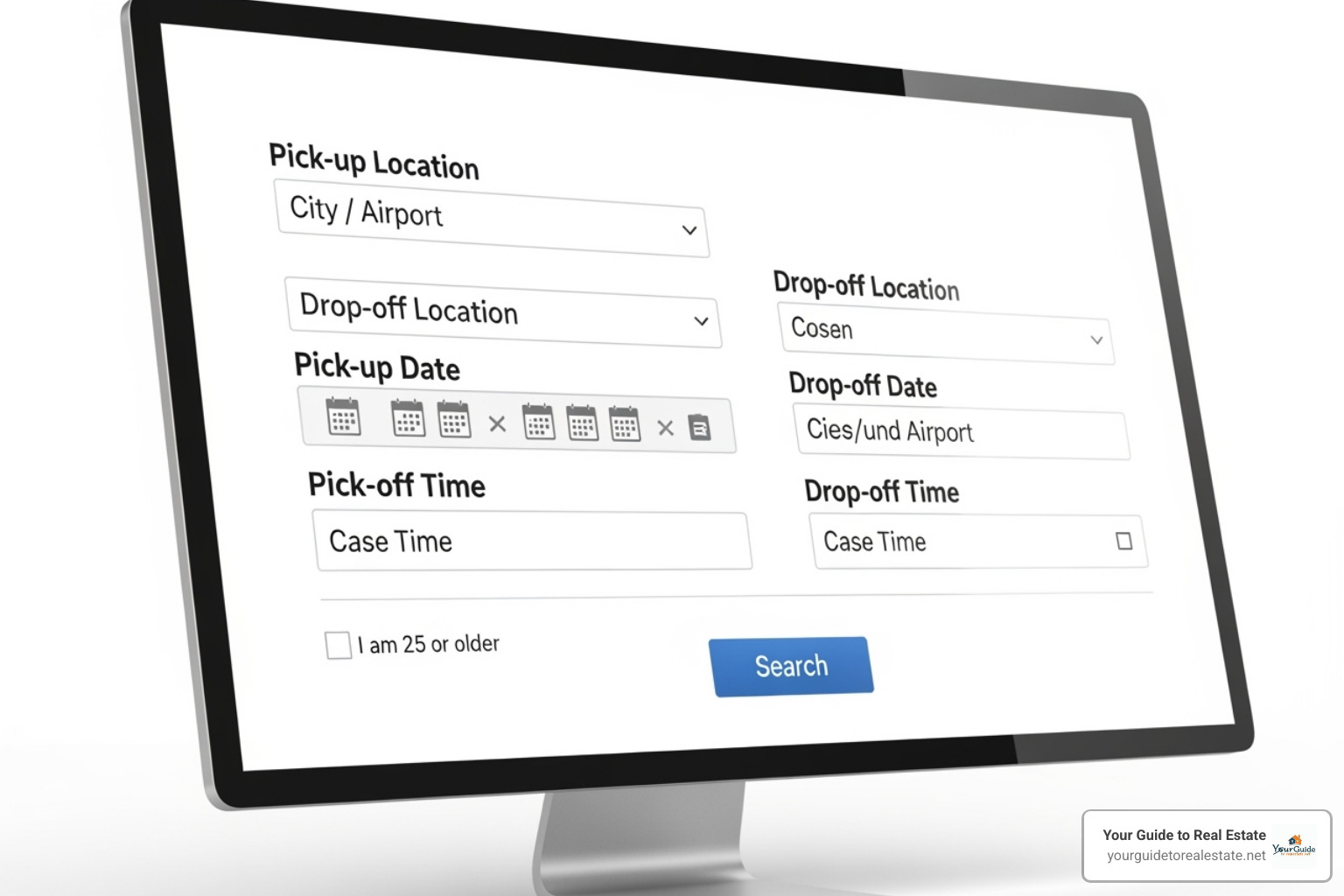
Start by entering your pick-up location – this can be a city name, airport code, or specific address. Then choose your drop-off location, which can be the same spot or somewhere completely different if you’re planning a one-way trip.
Next, select your rental dates and times. Here’s a pro tip: double-check the operating hours for your pickup location, especially if it’s not at an airport. Nothing’s more frustrating than getting an error message because you’ve selected a time when the rental counter is closed.
Finally, there’s an age confirmation checkbox asking if you’re 25 or older. This matters because it affects both your eligibility and potential fees – we’ll dive deeper into this topic in the next section.
Step 3: Comparing Options and Making Your Selection
Once you hit search, you’ll see a list of available vehicles from all of Costco’s partner companies. This is where the real magic happens – you can see those member discounts in action.
The results page lets you filter by company if you have a preference for Alamo, Avis, Budget, or Enterprise. You can also filter by car class to narrow down to exactly what you need, whether that’s an economy car for city driving or a spacious SUV for a family road trip.
Pay attention to the total cost shown for each option. What we love about Costco car rental is the transparency – the prices you see typically include all taxes and fees upfront. Look for those red price indicators that highlight the best deals available.
Take your time reviewing and selecting a vehicle that fits both your needs and budget. Sometimes spending a few extra dollars for a larger car or better brand can make your trip much more comfortable.
Step 4: Confirming and Managing Your Booking
The final step takes you to the driver details page where you’ll provide information about the primary driver, including name, contact details, and driver’s license information.
Here’s a nice touch: if you’re a member of rental company loyalty programs like Avis Preferred, Budget Fastbreak, or Enterprise Plus, you can add your loyalty numbers during booking. This means you still earn points and benefits while enjoying Costco’s negotiated rates.
You can also add optional equipment like GPS systems or child safety seats, though these are usually paid directly to the rental company at pickup.
After reviewing all your details carefully, you can finalize your reservation. You’ll receive a confirmation email with all your booking information – if you don’t see it, check your spam folder. You can also log into your Costco Travel account anytime to resend the confirmation if needed.
Life happens, and plans change. The good news is that Costco car rental bookings are flexible. You can change or cancel online by logging into your account and selecting “My Account.” For changes, it’s smart to book your new reservation first to guarantee availability, then cancel the original. Best of all, there are typically no cancellation fees for online reservations. For detailed guidance on managing your bookings, check out more info on managing bookings.
Navigating Key Policies and Requirements
Understanding the fine print before you hit the road can save you from unexpected surprises. Just as you’d review Mortgage Options Explained before a major financial commitment, it’s wise to be informed about Costco car rental policies.
Age Requirements and Renting Under 25
The standard age requirement for renting a car in the U.S. and Canada is typically 25 years old. This is a common industry practice due to insurance considerations.
- Standard Age (25+): If you are 25 or older, you generally won’t face any additional age-related fees.
- Underage Driver Fees: For drivers under the age of 25, additional fees (often called “underage driver fees” or “young renter fees”) and/or restrictions may apply. These fees can vary significantly by rental company, location, and even car class.
- Booking Process for Drivers Under 25: If you are under 25 and wish to book through Costco Travel, you might encounter an error message on the website preventing you from seeing rates. While you still receive the Costco Member Discount, you must book directly with the rental company to finalize your reservation and discuss any applicable underage driver fees. For assistance, you can call the rental company directly. Costco Travel representatives cannot determine the exact underage driver fee for each location, as it’s subject to the rental company’s specific policies.
Understanding Your Costco Car Rental Insurance Options
Insurance is a critical consideration for any rental. When booking through Costco Travel, you have several avenues to explore for coverage:
- Rental Agency Insurance (CDW/LDW): At the rental counter, you’ll be offered various insurance products, such as Collision Damage Waiver (CDW) or Loss Damage Waiver (LDW). These cover damage to the rental car itself. While convenient, they can be quite expensive. You can add these at pick-up, and the cost is generally the same as if you pre-booked them.
- Credit Card Coverage Benefits: Many credit cards offer secondary (or sometimes primary) rental car insurance as a benefit to cardholders when the rental is paid for with that card. It’s crucial to check with your credit card provider about their specific terms, coverage limits, and any exclusions (e.g., certain vehicle types, international rentals).
- Personal Auto Insurance Policy: Your existing personal auto insurance policy might extend coverage to rental cars. Contact your insurance provider to understand your policy’s specifics, deductibles, and whether it covers rental car damage, liability, or both.
- Optional Zurich Travel Insurance: Costco members receive preferred rates through Zurich for comprehensive travel insurance, which can include rental car coverage. This can be a good option if you’re looking for broader travel protection that includes medical emergencies, trip cancellations, and other unforeseen events, in addition to rental car coverage. For more information, you can visit their co-branded website or call 1-844-246-8470.
We always recommend doing your homework and understanding your existing coverage before you arrive at the rental counter. This way, you can make an informed decision and avoid purchasing unnecessary coverage.
What to Expect at the Rental Counter
Even with a confirmed Costco car rental reservation, the final step is at the rental counter. Knowing what to expect can make the pick-up process smooth and stress-free.

- Required Documents: You will need to present a few key items:
- Valid Driver’s License: The primary renter (and any additional drivers) must present a valid driver’s license.
- Major Credit Card: A major credit card in the primary renter’s name is required for the security deposit and any additional charges not covered by your prepaid rental. Debit cards are generally not accepted for deposits.
- Costco Membership Card: While your membership number is used for booking, having your physical or digital card might be requested by the rental agency to verify eligibility for the Costco rates and perks.
- Additional Driver Requirements: If you’ve included an additional driver (taking advantage of the free perk!), they must also be present at the counter with their valid driver’s license. They will typically need to meet the rental agency’s requirements as well.
- Vehicle Pickup Process: The agent will review your rental agreement, confirm any optional add-ons (like GPS or insurance you might purchase there), and then direct you to your vehicle. Always take a moment to inspect the car for any existing damage before you drive off the lot. Snap a few photos with your phone for your records, just in case!
Frequently Asked Questions about the Costco Car Rental Program
We know that even with all the information we’ve shared, you might still have some lingering questions about getting the most from your Costco car rental experience. Don’t worry – we’ve got you covered! These are the questions we hear most often from fellow travelers looking to make the most of this fantastic membership perk.
Can I use my rental car company loyalty number with a Costco car rental booking?
This is one of our favorite questions because the answer is a resounding yes! You absolutely can have your cake and eat it too when it comes to combining Costco’s amazing rates with your loyalty program benefits.
For Avis, Budget, and Enterprise rentals, you can easily add your loyalty program number right on the Driver Details page during your online booking. This means you’ll still earn those valuable points and enjoy your preferred member benefits, all while taking advantage of Costco’s exclusive pricing. It’s like getting a double dose of savings and perks!
For Alamo bookings, the process might be slightly different. You may need to add your loyalty number when you arrive at the rental counter, or you can contact their customer service directly to ensure your account gets credited properly.
Where are Costco car rentals available?
Costco car rental services are designed specifically for Costco members who live in the United States, but the good news is that your rental destinations extend far beyond American borders.
You can book rentals for trips within the United States (and yes, this includes those beautiful getaways to Puerto Rico and the U.S. Virgin Islands), as well as adventures up north in Canada. But here’s where it gets really exciting – the program also covers several gorgeous European destinations including France, Germany, Ireland, Spain, and the United Kingdom.
Whether you’re planning a cross-country road trip, exploring the Canadian Rockies, or dreaming of driving through the Scottish Highlands, your Costco membership can help make it more affordable. Just remember to check availability for your specific destination when planning your travels.
Is the additional driver fee really waived?
We get this question a lot, and we understand the skepticism – it sounds almost too good to be true! But yes, the additional driver fee is genuinely waived for one extra driver when you book through Costco Travel. This isn’t a marketing gimmick; it’s a real perk that can save you serious money.
The coverage varies slightly depending on which rental company you choose. With Avis and Budget, you’ll enjoy the free additional driver benefit for rentals in the U.S. and Canada. But if you’re booking with Alamo or Enterprise, the perk gets even better – it extends to the U.K., France, Germany, Ireland, and Spain as well.
That while the fee is waived, your additional driver still needs to meet all the rental company’s standard requirements. They’ll need to be present at the rental counter with a valid driver’s license and go through the same qualification process as the primary driver.
This benefit alone can save you anywhere from $10 to $15 per day, which really adds up on longer trips. It also means you can share driving duties on those epic road trips without worrying about the extra cost – making your journey safer and more enjoyable for everyone involved.
Conclusion
Planning a trip can feel overwhelming, especially when you’re trying to balance quality with budget. But as a Costco member, you have access to one of the best-kept secrets in travel savings: Costco car rental. Through this comprehensive guide, we’ve shown you how to open up substantial savings of up to 50%, score valuable perks like a free additional driver, and steer the booking process with confidence.
The beauty of the Costco car rental program lies in its simplicity and genuine value. You’re not just getting a discount – you’re getting transparent pricing, flexible cancellation policies, and partnerships with trusted brands like Alamo, Avis, Budget, and Enterprise. These aren’t small savings either. When you can save $549 on a two-week rental, that’s real money you can put toward other parts of your trip or keep in your pocket.
What we love most is how this benefit exemplifies the Costco philosophy: leveraging collective buying power to deliver exceptional value to members. Whether you’re planning a weekend getaway, a cross-country adventure, or need a reliable car for business travel, your membership works harder for you than you might realize.
At Your Guide to Real Estate, we’re passionate about helping people make informed decisions that save money and reduce stress. Just as we provide clear, actionable guidance to help you succeed in the real estate market, we want to ensure you’re getting the most from every aspect of your financial life. Smart money management isn’t just about big purchases like homes – it’s about maximizing value in all your decisions, including travel.
Ready to put these savings to work? Your next rental car is just a few clicks away at CostcoTravel.com. And while you’re making smart financial moves, don’t forget to check out our Housing Market Forecast for more insights on building wealth through informed decision-making.